VIRTUAL PHONE SYSTEM FOR BUSINESSES
Glofera Connect
Why are calls being lost at your company?
Calls get lost because there’s no system to centralize them. Without a virtual PBX, each employee handles calls on their own: no records, no call forwarding, and no control. Glofera analyzes your situation for free, sets up the PBX to fit your needs, and stays by your side to keep it running smoothly.

How do you know if your company needs a virtual PBX?
Your company needs a virtual PBX if you’re losing calls during peak hours, your customers complain that no one answers, or you have no data on how many calls come in and who handles them. These are the most common signs we see in Spanish SMEs before implementing Glofera Connect.
Business Phone System: What Glofera’s Includes
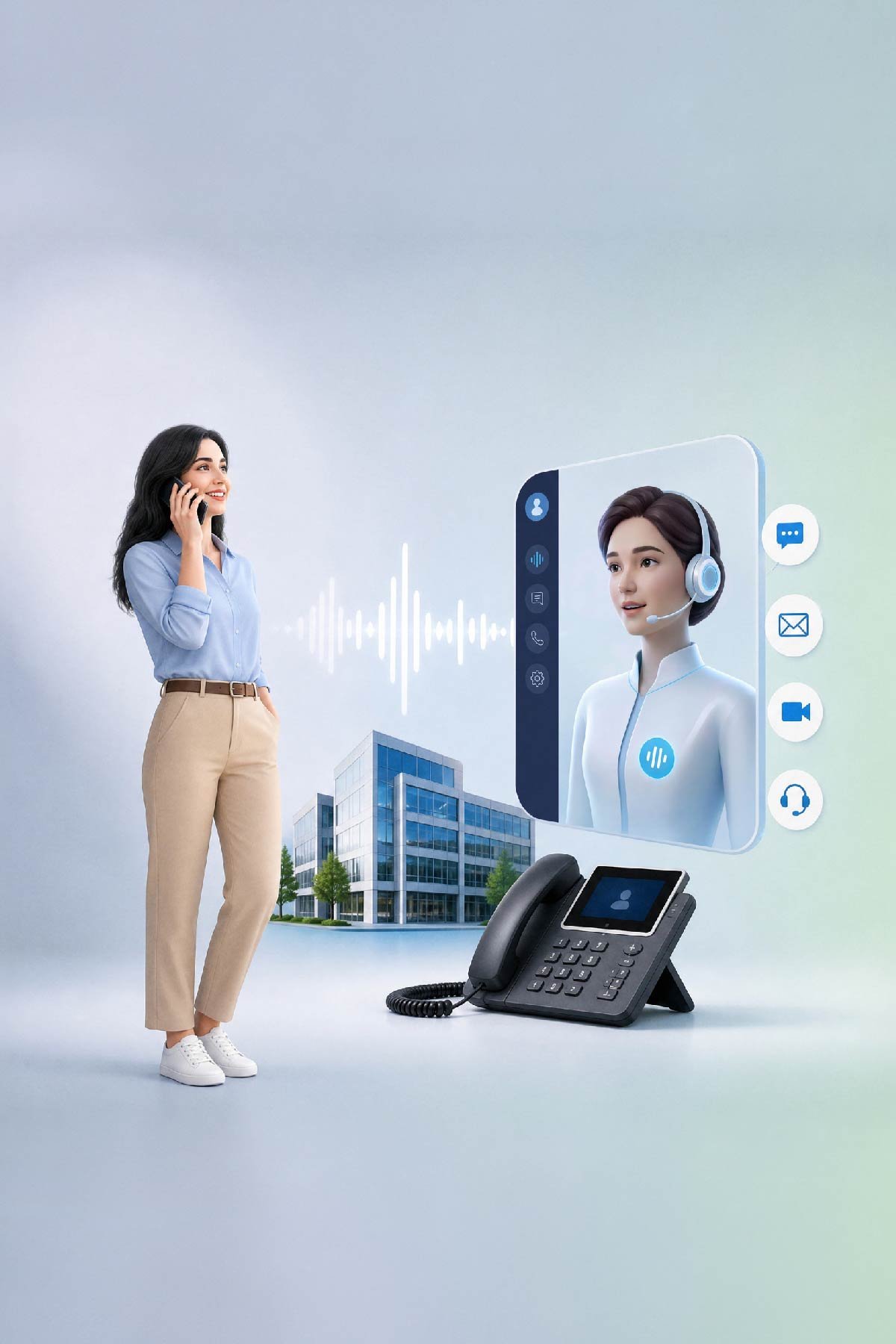
A business phone system is the core of your company’s call distribution: it decides who receives calls, what happens after hours, and what occurs when everyone is busy. Our system, Glofera Connect, operates over your internet connection, so there’s no physical device or installation work required.
The three packs — Starter, Medium, and Business — include the same basic features:
Unlimited calls
Extensions for the entire team, on IP phone, mobile, or computer
Call recording with 100 GB of storage
Integration with your CRM or ERP
Installation and configuration included
Technical Support
What changes from one pack to another is the capacity and advanced features: queues, overflows, statistics, and custom IVR.
And there’s a non-technical difference. Most providers give you a panel to configure it yourself. We analyze how your calls come in today and set it up for you. No commitment.
Here’s How Working with Glofera Works
How do you set up a virtual PBX for your business?
At Glofera, the process has three steps: first, we analyze your company’s communications for free, then we configure Glofera Connect to fit your team, and finally, we train you so you can start using it from day one.
Is your phone system still running on traditional lines? Here’s how a VoIP PBX for businesses works, and here’s what you need to make the switch without any surprises on day one.
Why do companies choose Glofera Connect over other PBX systems?
Because most companies that contract a virtual PBX don’t have the time or resources to configure it themselves. At Glofera, we take care of everything: analysis, configuration, training, and continuous support — with free consulting included and no commitment. And if you’re looking for a free virtual PBX, we’ll tell you what real options exist: here, the consulting is free, not the PBX.

Productivity
Productivity
Don’t miss opportunities, boost your sales

Customer Service
Customer Service
Reduce your call waiting times

Mobility and teleworking
Mobility and teleworking
Flexibility to work from any location and device

Integrations
Integrations
Integrate it with your business tools such as: CRM and/or ERP

Professional and technical support
Professional and technical support
We help you configure it, without limits or restrictions.


EVERYTHING IN REAL TIME
How does a virtual PBX work, step by step?
The virtual PBX manages all of your company’s calls from the cloud, with nothing to install at your office. Your devices connect to it, and the PBX decides in real time what happens with each call. Here’s what happens when someone dials your number.
150+ FEATURES
What does Glofera’s virtual PBX include?
Cloud-based call management, mobile and desktop extensions, recording, statistics, AI Voice Agent, and CRM and ERP integration. All in a single panel.

Intuitive web panel
Manages all vital functions from user-friendly interface.

Integrated mobile device
Make and receive calls using your business number from any smartphone.

AI Voice Agent
Answer calls outside of business hours without missing a single opportunity

Call Recording
Review conversations to improve customer service and resolve conflicts.

Real-time statistics
You’ll know how many calls come in, who answers them, and how long they take.

Queues and Smart Detours
No call is missed. It is either forwarded, logged, or placed in a queue.
Easily configure more than +150 functionalities
PACKAGES AND PRICES
How much does a virtual PBX for businesses cost?
Glofera Connect plans start from €79 per month, with no commitment and no installation costs. If your company grows, you can change your plan with a single call. Not sure which plan you need? We compare options without bias.


“@context”: “https://schema.org”,
“@type”: “Product”,
“name”: “Glofera Connect — Centralita Virtual para Empresas”,
“description”: “Centralita virtual para pymes en España con consultoría gratuita incluida, instalación gratuita y sin permanencia.”,
“brand”: {
“@type”: “Brand”,
“name”: “Glofera”
},
“url”: “https://glofera.com/centralita-virtual/”,
“areaServed”: {
“@type”: “Country”,
“name”: “España”
},
“offers”: [
{
“@type”: “Offer”,
“name”: “Pack Starter”,
“description”: “5 extensiones. Instalación gratuita, sin permanencia.”,
“price”: “79.00”,
“priceCurrency”: “EUR”,
“priceSpecification”: {
“@type”: “UnitPriceSpecification”,
“price”: “79.00”,
“priceCurrency”: “EUR”,
“unitText”: “mes”
},
“url”: “https://glofera.com/centralita-virtual/packs-y-precios/”,
“availability”: “https://schema.org/InStock”,
“priceValidUntil”: “2027-12-31”
},
{
“@type”: “Offer”,
“name”: “Pack Medium”,
“description”: “10 extensiones. Instalación gratuita, sin permanencia.”,
“price”: “149.00”,
“priceCurrency”: “EUR”,
“priceSpecification”: {
“@type”: “UnitPriceSpecification”,
“price”: “149.00”,
“priceCurrency”: “EUR”,
“unitText”: “mes”
},
“url”: “https://glofera.com/centralita-virtual/packs-y-precios/”,
“availability”: “https://schema.org/InStock”,
“priceValidUntil”: “2027-12-31”
},
{
“@type”: “Offer”,
“name”: “Pack Business”,
“description”: “20 extensiones. Instalación gratuita, sin permanencia.”,
“price”: “299.00”,
“priceCurrency”: “EUR”,
“priceSpecification”: {
“@type”: “UnitPriceSpecification”,
“price”: “299.00”,
“priceCurrency”: “EUR”,
“unitText”: “mes”
},
“url”: “https://glofera.com/centralita-virtual/packs-y-precios/”,
“availability”: “https://schema.org/InStock”,
“priceValidUntil”: “2027-12-31”
}
] }
INTEGRATIONS
What tools does Glofera’s virtual PBX integrate with?
Glofera Connect natively connects with the leading CRM and ERP tools used by SMEs in Spain: Zoho CRM, Holded, Salesforce, HubSpot, A3ERP, Pipedrive, Bitrix24, and Odoo. Every call is automatically logged in the customer’s history, with nothing to enter by hand.










They trust us


TAILORED TO YOUR INDUSTRY
What industries is Glofera’s virtual PBX designed for?
Glofera Connect is tailored to industries where call management is critical: dental clinics, accounting and tax firms, law firms, real estate agencies, educational centers, auto repair shops, and hospitality. Each industry has different call flows — and the setup reflects that.
Frequently asked questions about virtual PBX for businesses
“@context”: “https://schema.org”,
“@type”: “FAQPage”,
“mainEntity”: [
{
“@type”: “Question”,
“name”: “¿Qué es exactamente Glofera Connect?”,
“acceptedAnswer”: {
“@type”: “Answer”,
“text”: “Glofera Connect es la centralita virtual de Glofera. Lo llamamos así porque la idea es conectar todas las comunicaciones de tu empresa en un solo sitio: llamadas, móviles, extensiones, estadísticas e integraciones con tu CRM o ERP.”
}
},
{
“@type”: “Question”,
“name”: “¿Cuánto tarda en estar en marcha?”,
“acceptedAnswer”: {
“@type”: “Answer”,
“text”: “En la mayoría de empresas, entre 2 y 5 días laborables desde que nos das el visto bueno. Nos encargamos de toda la configuración — tú no tienes que hacer nada técnico.”
}
},
{
“@type”: “Question”,
“name”: “¿Necesito instalar algo en la oficina?”,
“acceptedAnswer”: {
“@type”: “Answer”,
“text”: “No. Glofera Connect funciona en la nube. Tus empleados solo necesitan una app en el móvil o el ordenador. Sin hardware, sin obras, sin técnicos en la oficina.”
}
},
{
“@type”: “Question”,
“name”: “¿Hay permanencia?”,
“acceptedAnswer”: {
“@type”: “Answer”,
“text”: “No. Puedes cancelar cuando quieras, sin penalizaciones y sin letras pequeñas. Nos quedamos porque el servicio funciona, no porque estés atrapado.”
}
},
{
“@type”: “Question”,
“name”: “¿Puedo conservar mi número de teléfono actual?”,
“acceptedAnswer”: {
“@type”: “Answer”,
“text”: “Sí. Portamos tu número sin interrupciones. El día del cambio, tus clientes siguen llamando al mismo número de siempre.”
}
},
{
“@type”: “Question”,
“name”: “¿Qué incluye la consultoría gratuita?”,
“acceptedAnswer”: {
“@type”: “Answer”,
“text”: “Analizamos cómo gestionas actualmente las comunicaciones de tu empresa y te proponemos la solución más adecuada para tu negocio, sin compromiso. Si decides trabajar con nosotros, configuramos Glofera Connect desde cero. Si no, te vas con más información de la que tenías.”
}
},
{
“@type”: “Question”,
“name”: “¿Funciona desde el móvil?”,
“acceptedAnswer”: {
“@type”: “Answer”,
“text”: “Sí. Glofera Connect funciona desde móvil, ordenador y teléfono fijo. Tu equipo puede llamar y recibir con el número de empresa desde cualquier dispositivo y desde cualquier lugar.”
}
},
{
“@type”: “Question”,
“name”: “¿Los móviles del equipo se integran directamente con la centralita virtual?”,
“acceptedAnswer”: {
“@type”: “Answer”,
“text”: “Sí. Con Glofera Connect, cada miembro del equipo puede llamar y recibir llamadas desde su móvil habitual usando el número de empresa, sin que el cliente vea nunca el número personal. No hace falta instalar hardware ni cambiar de dispositivo. Las llamadas desde móvil quedan registradas igual que las de oficina: con estadísticas, grabación y trazabilidad completa.”
}
},
{
“@type”: “Question”,
“name”: “¿Qué es el Agente de Voz con IA y cómo funciona con la centralita?”,
“acceptedAnswer”: {
“@type”: “Answer”,
“text”: “El Agente de Voz con IA es una capa adicional que puedes activar sobre Glofera Connect. Cuando una llamada entra fuera de horario o todas las líneas están ocupadas, responde un agente de voz con inteligencia artificial que puede mantener una conversación real con el cliente: tomar nota del motivo de la llamada, recoger datos de contacto, responder preguntas frecuentes o gestionar citas. Al día siguiente, el equipo tiene el resumen de cada interacción lista para actuar.”
}
}
] }