IP PBX: types and differences from a virtual PBX
You ask for an IP PBX quote and get back three offers describing different products under the same name. It’s not bad faith: it’s that “IP PBX” names an entire family, and each provider sells the family member that suits them.
Clearing this up saves you from comparing apples to oranges.
What an IP PBX is
It’s any phone system that handles calls using the IP protocol instead of traditional analog or digital lines. That’s all the term tells you. It doesn’t say where the system is, who maintains it, or how you pay for it — and those are precisely the three things that affect you.
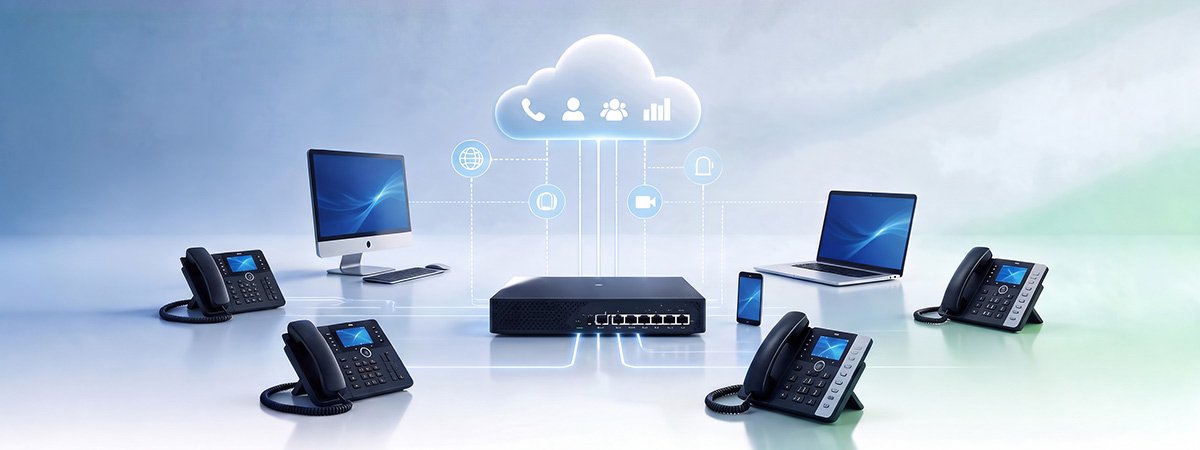
The equipment sits at your office: a server or a dedicated box. The technology is IP, but the machine is yours, with its own upfront investment, its own maintenance, and its own obsolescence cycle. Makes sense if: you have your own technical department, very specific integration requirements with internal systems, or regulations that require you to keep data on your own premises. The weak point: if the power goes out or the equipment fails, your phone doesn’t exist until someone physically goes to fix it. The same system, hosted at the provider’s data centers. You have phones and a web panel; the hardware and maintenance belong to someone else. You pay per user, per month. Makes sense if: you’re an SME, you have people outside the office, you don’t want an upfront investment, or you want to be able to grow without buying anything. This is the case for 90% of the companies we work with. The details are in cloud-based PBX: advantages and how it works. A mix of both: you keep the on-premise equipment for what already works and add the cloud piece for mobility and new features. It’s the typical transition option for companies that recently paid off an on-premise PBX and don’t want to scrap it. The risk: you pay for two systems and manage two configurations. As a temporary bridge it’s fine; as a final destination, it’s the worst of the three. So, IP PBX or virtual PBX? The question itself is framed wrong, and that’s where the confusion comes from. A virtual PBX is an IP PBX: the one that lives in the cloud. They’re not alternatives, they’re category and subcategory. The real decision is where you want the system to sit: in your own cabinet or in the provider’s. And from there follow the three things that actually matter: who takes on maintenance, how you pay, and what happens the day something breaks. Two more terms that get tangled up in the same conversations: VoIP is the technology that carries voice over the internet — explained here — and IP telephony is the complete service built on top of it, with its own implementation project. Forget the acronyms. When you have two offers in front of you, compare this: If your current PBX is on-premise and forces you to call a technician to change a schedule, the conversation isn’t about acronyms: it’s about the signs it’s already time to switch. Not by definition. On-premise equipment that hasn’t been updated in years and is exposed to the internet is considerably more vulnerable than a cloud service with up-to-date patches and encryption in transit. Security depends on maintenance, not location. If they’re IP phones, in most cases yes, by reconfiguring them. Analog phones are kept in service with an adapter, which is useful for door intercoms or warehouse phones. The cloud, by a wide margin, and not because it’s trendy: it’s about not taking on an upfront investment and not depending on equipment that ages. On-premise is reserved for cases with specific technical or regulatory requirements. Just by knowing how many people handle calls, whether anyone works outside the office, and what you have installed today, the right type of PBX becomes clear. We analyze it for free and tell you with no obligation, even if the answer is to stick with what you have.The three types that exist
On-premise IP PBX
Virtual PBX (cloud-based)
Hybrid PBX
The table that settles the question
ON-PREMISE IP
VIRTUAL (CLOUD)
Upfront investment
High
None or minimal
Who maintains it
You or your technician
The provider
Power outage at the office
No service
Keeps working
Adding 5 users
May require hardware
Five minutes
Moving offices
A project, with risk
Pack up the phones
Updates
Separate budget
Included
Obsolescence
7-10 years
Not applicable
What you should actually compare
Quick questions about IP PBX
Is an on-premise IP PBX more secure than the cloud?
Can I switch from on-premise to virtual while keeping my phones?
What are Spanish SMEs using today?
We’ll tell you which type fits you in ten minutes

Related Posts