
Cloud-based PBX: advantages and how it works
In almost every company more than ten years old, there’s a cabinet. Inside: a PBX with a yellowed label, a transformer, unlabeled cables, and the phone number of a technician who stopped answering two years ago. It works. Nobody knows exactly how, and nobody dares touch it.
A cloud-based PBX is, literally, removing that cabinet. And the consequences go well beyond reclaiming two square meters of space.
What “cloud-based” means in telephony
It means the system that handles your calls isn’t at your premises, but in the provider’s data centers, with redundancy and maintenance included. You access the configuration from a browser, and your devices connect to that system over the internet.
The difference from an on-premise PBX is the same as the one between running a mail server in your office versus using a professional email service. The service is the same; who bears the risk of the hardware failing isn’t.
What changes the day something goes wrong
This is where the comparison actually gets decided, not on the spec sheet.
Power outage
On-premise PBX: it shuts down. Incoming calls get a busy tone or ring into nothing, and your customers can’t tell the difference from you having closed. Cloud-based PBX: it stays up because it isn’t in your building; calls automatically forward to the team’s mobiles and the business keeps running from wherever.
Internet outage
The reverse case, and the one most often used as a counterargument. It’s true: without a connection, the office phones don’t register. But a decent setup detects that the site isn’t responding and routes to mobiles within seconds. The customer notices nothing. With a broken on-premise PBX, on the other hand, there’s no plan B: you have to wait for the technician.
Moving offices
Changing premises with a physical PBX is a project with a budget, dates, and the risk of being without a phone for a few days. In the cloud, you pack the phones in a box and plug them in. The number doesn’t notice.
Growing all at once
You hire five people in January. On an on-premise PBX that can mean a new module, licenses, and a technician visit, if the equipment even supports it. In the cloud, it’s five extensions created in a panel.
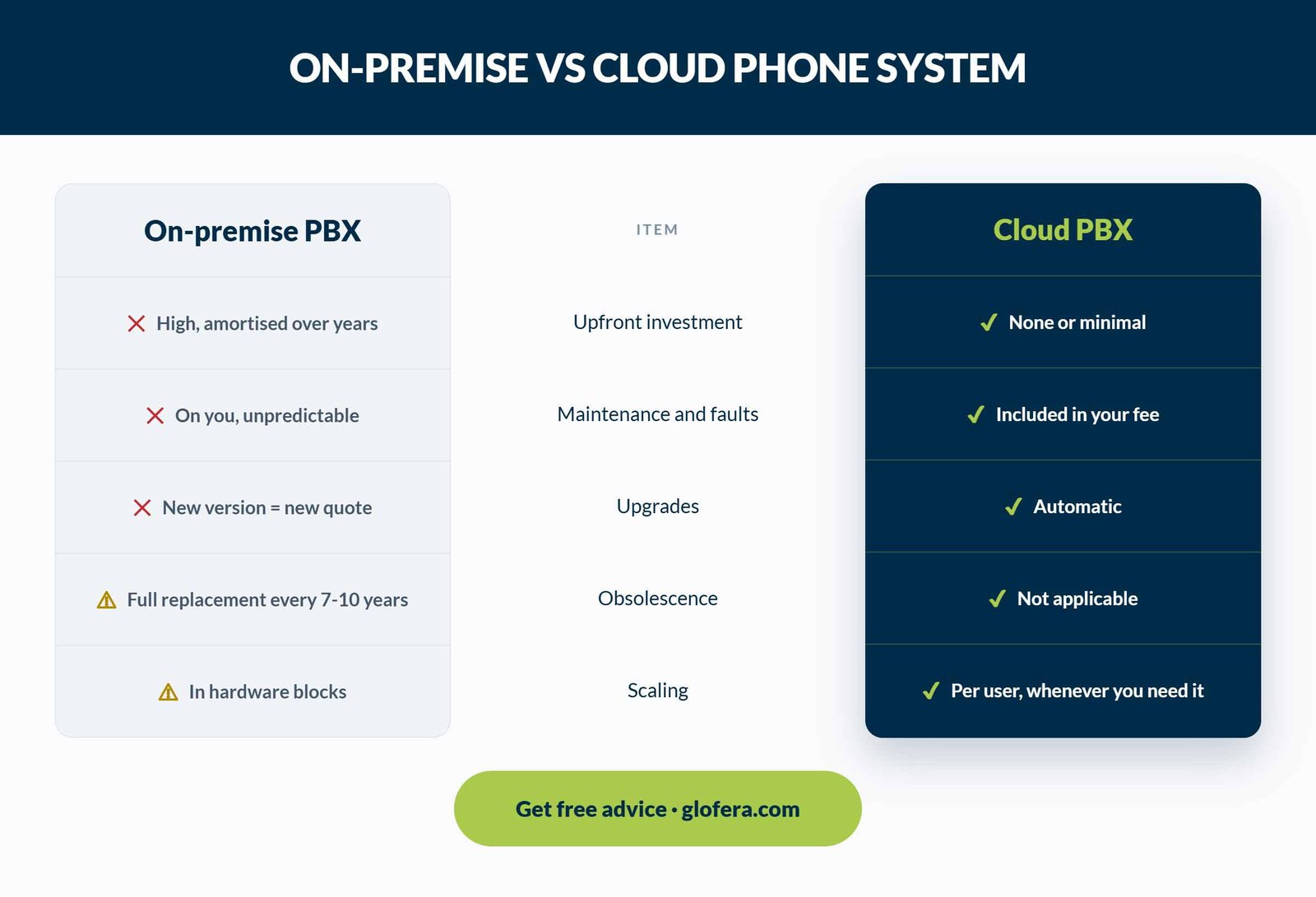
The usual comparison is monthly fee versus buying the equipment, and that makes the cloud look more expensive over five years. Four line items are missing: The real cost of a physical PBX isn’t what you paid: it’s what you pay every time it needs touching, plus what the day it breaks down costs you. We cover this in more detail in virtual PBX pricing: what’s included and what isn’t. Features that on an on-premise PBX were paid add-ons or simply didn’t exist come standard, because they’re software: Three real limits, because an honest analysis includes those too: There are three moments that turn it into an easy decision: when you move premises, when your current PBX needs a serious repair, and when you bring on people who’ll work outside the office. If you’re in any of those three, holding onto the cabinet is the expensive option. If you want the underlying technical context, start with how a VoIP PBX works, and if you’re not sure whether your case calls for cloud, on-premise, or hybrid, we compare that in another article on our blog. Signaling and audio are encrypted in transit, and recordings are stored encrypted with per-user access control. In practice, the level of protection is higher than an on-premise PBX that hasn’t been updated in years. If they’re IP phones, almost always yes. If they’re analog, an adapter keeps them in service, which is useful for door intercoms or warehouse phones. Between two and five business days for an SME, including porting. The real work is in accurately reproducing your current call routing, not in the installation. We analyze your current setup for free, how many calls you’re dropping, and what the switch would actually cost you. We’ll tell you even if the conclusion is that you should stick with what you have for another year.The financial math almost nobody does right
What you gain beyond not having hardware
And now what they don’t usually tell you
When it makes sense to take the leap
Quick questions about cloud-based PBX
Are my conversations secure in the cloud?
Can I keep using the phones I already have?
How long does migrating take?
Before you migrate, measure what you already have

Related Posts